
How to Install IPTV Player on Fire TV Stick (Step-by-Step)
Setting up an IPTV player on your Amazon Firestick is quick and simple. Follow this updated, step-by-step guide to get your streaming player running in minutes.
Looking for a shortcut? If you want to skip the technical configuration entirely, or if you have an older device, you can get a pre-configured, ready-to-use device:
Get a Plug-and-Play Device here.
1. Go to Fire TV Home Screen
Turn on your device and ensure your Fire TV Stick is securely connected to your Wi-Fi network. From the main home screen, let all the menus load completely before pressing any buttons.
2. Open Settings
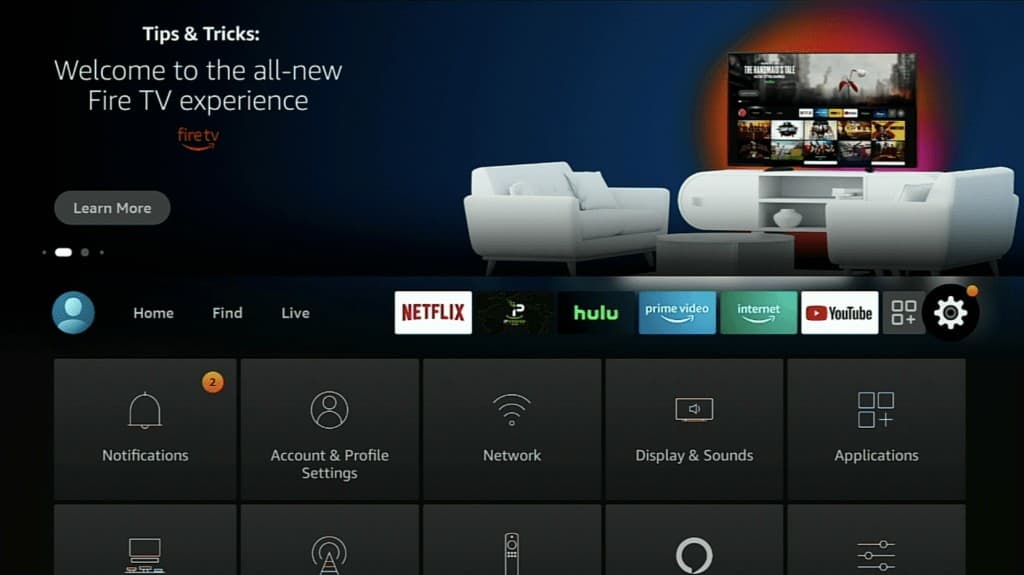
Using your Firestick remote, navigate to the far right side of the screen and select the gear icon to open Settings.
3. Select “My Fire TV”
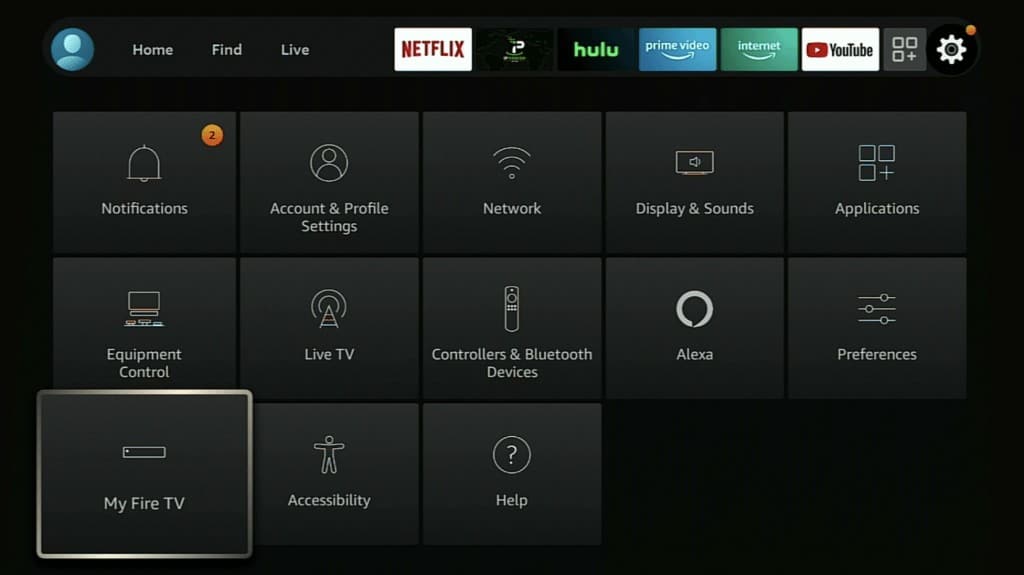
Scroll down through the settings options and click on the My Fire TV tile.
4. Reveal Developer Options (If Hidden)
If you see “Developer Options”, you can skip to the next step. If it is hidden, click on About, hover over your specific device name (e.g., Fire TV Stick 4K), and click the center select button on your remote 7 times rapidly. A message will appear saying, “No need, you are already a developer.” Press the back button once to return to the My Fire TV menu.
5. Open Developer Options
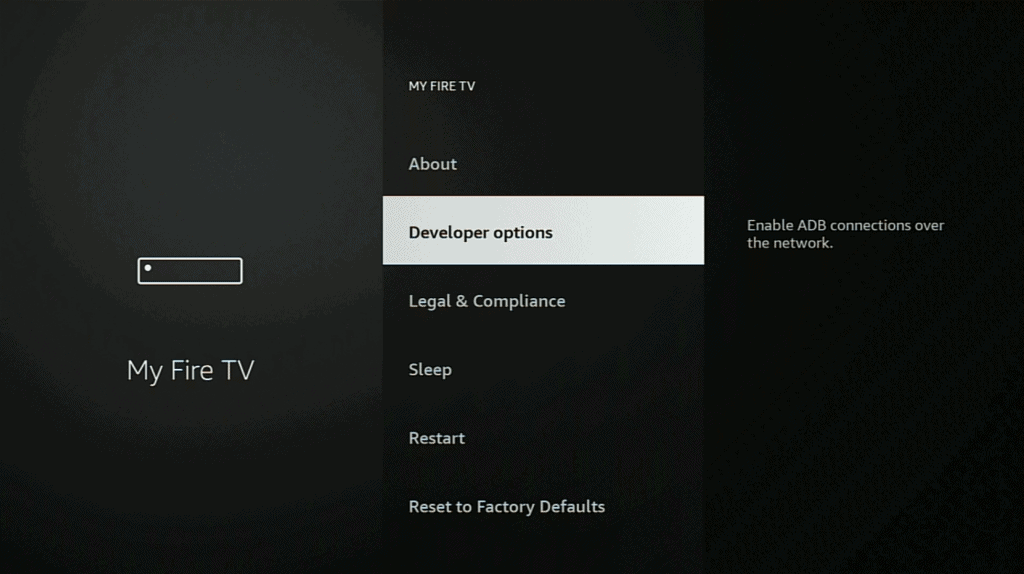
Now that it’s visible, click on Developer Options to adjust your system installation settings.
6. Allow Apps from Unknown Sources
Turn on ADB Debugging, then select Apps from Unknown Sources and change it to ON. This is mandatory for installing third-party players.

7. Confirm the Security Warning
An official system prompt will appear warning you about third-party apps. Select Turn On to confirm the configuration changes.
8. Use the Search Tool
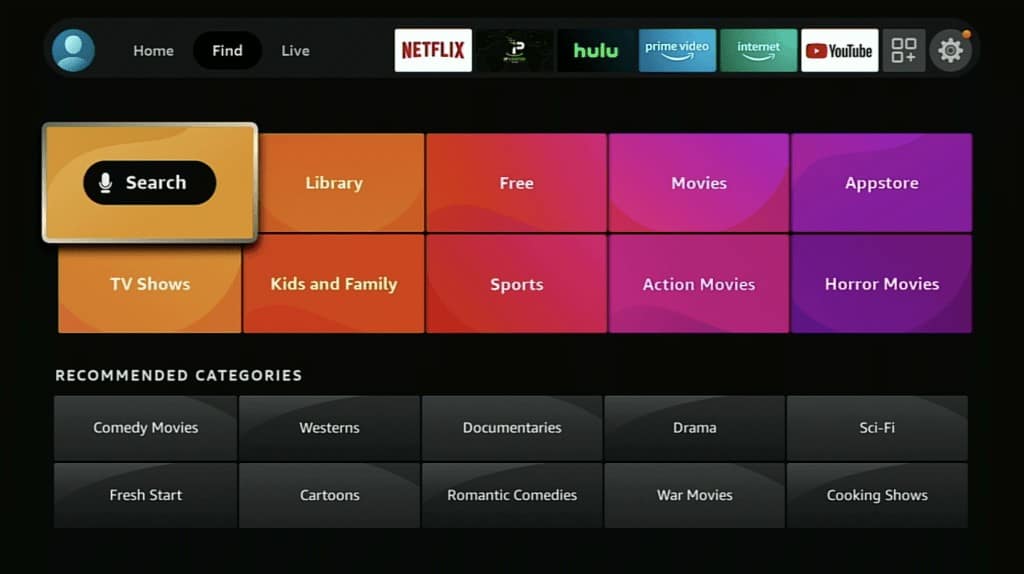
Press the home button on your remote, go to the Find/Search icon (the magnifying glass) on the home screen layout.
9. Install the Downloader App
Type in Downloader using the on-screen keyboard. Select the orange Downloader application icon from the official App Store results and click download/install.

10. Open Downloader & Allow Permissions
Launch the newly installed Downloader app. If prompted to allow access to photos, media, and files on your device, click Allow so the utility can process your installation files.

11. Enter URL Code & Install Player
Click inside the URL box on the home tab of Downloader. Type in the specific numerical code or web link provided by your service provider and click Go.

Wait for the APK file to download completely. Once finished, click Install on the system prompt. When the process ends, click Done and choose to delete the installation file to keep your Firestick storage clean.
Activation & Login Credentials
Once your application is opened, you will need active service details to stream your live TV and on-demand content catalog.
When I follow instructions and I put code it’s downloaded Lion OTT
yes that will work , if need a specific app you can ask our support for its link .