
10-step tutorial on how to install IPTV player on your Fire TV Stick.
If, for any reason, you can’t complete the steps, your stick does not support it, or you find it difficult, we can offer you a stick that comes ready to use. You can GET THAT HERE..
1- Go to Firestick home
Make sure your Fire stick is connected TO WiFi network before you start .
Go to Fire stick home to make sure, all the options loaded completely.
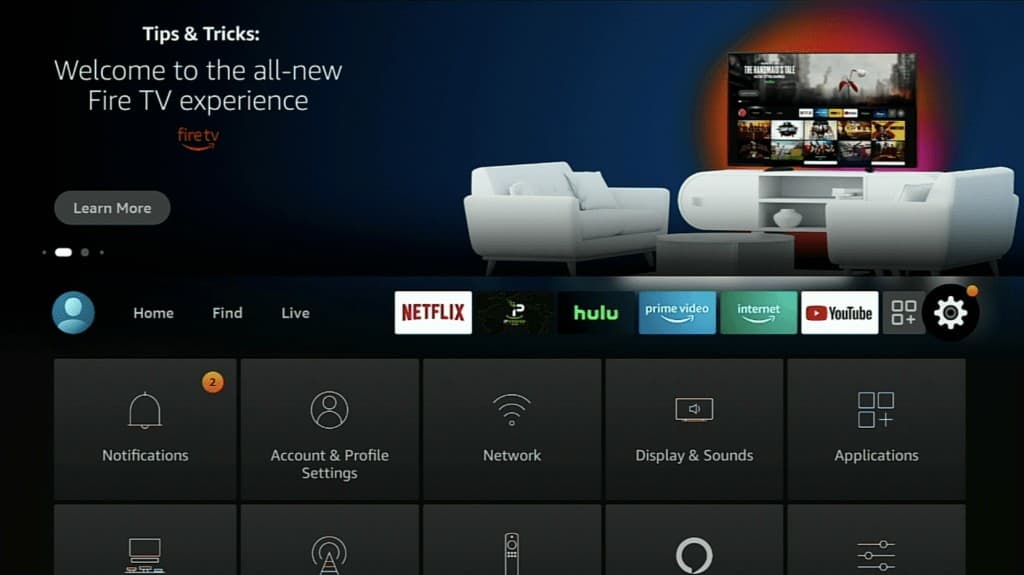
2- Select firestick Settings
Now, go to the settings option of Fire stick to make some changes.
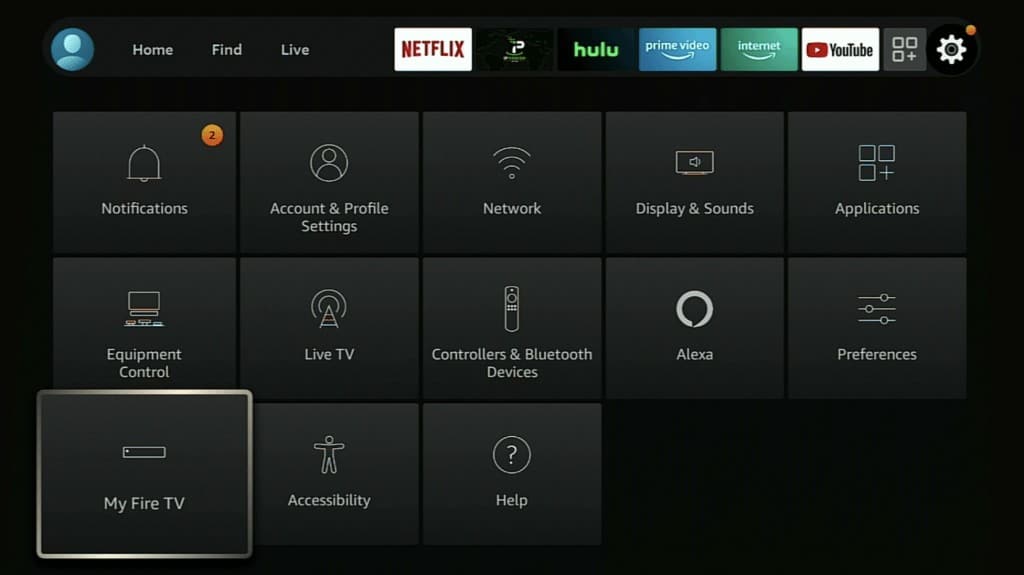
3- Open My Fire TV
Once you press the right-side button on your Firestick remote, you’ll see an option as “My Fire TV“. Scroll there and press the select button on the remote.
4- Choose Developer Options
from here we have to make some changes in Firestick default settings. Select Developer Options from the list.
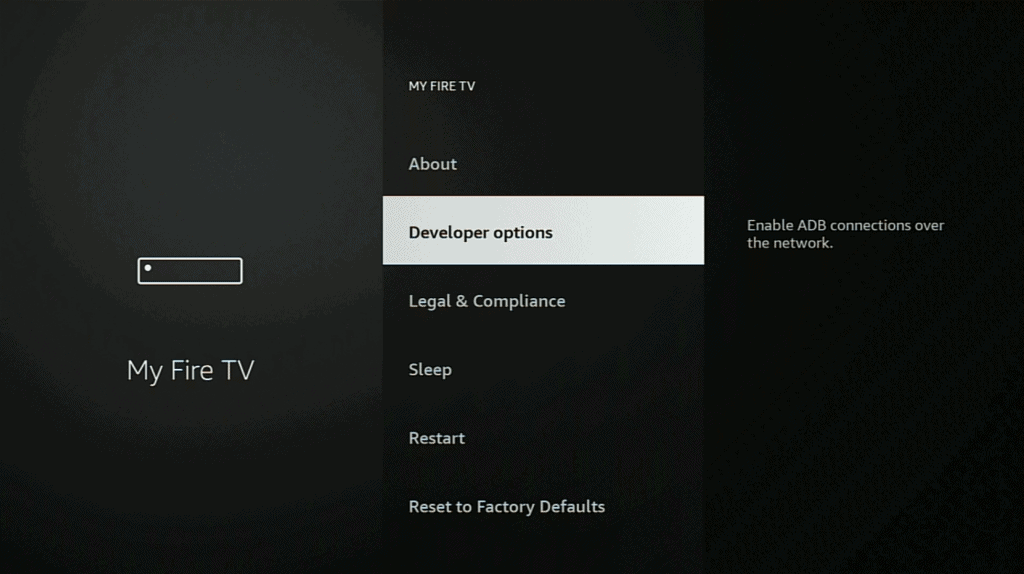
Note : if you don’t see developers option navigate to Settings > My Fire TV > About, and then keep clicking the device name until you see a “You are now a developer” popup.
5- Select Apps from Unknown Sources
Here you’ll find two options: ADB Debugging and Apps from Unknown Sources; we want to enable both options on screen .

6- Enable Apps from Unknown Sources
Once you follow the above step, a warning pop-up will appear on your TV screen. Just select the Turn ON option and go back home .
7- Open Search option
Once you enabled the Apps from Unknown Sources, just press the home button on firestick remote. Now, using the left-side button, go to the Search option.
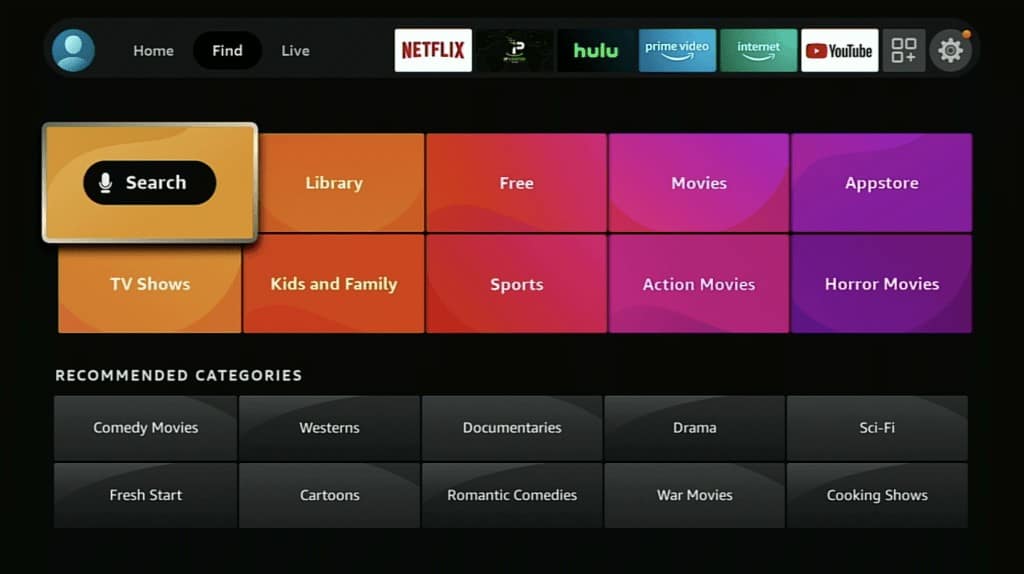
8- Type Downloader
Here, we are going to install the Downloader app on Firestick. So, type Downloader in the search option and select it to open in the app store.

9- Select Downloader
Then download , install and open

10- Select the URL Box
At this screen you need to type in this code ( or any that our agent recommended ) :

once finished typing it double check that its correct then select GO
after you select go the app will start downloading, wait for it to finish then install .
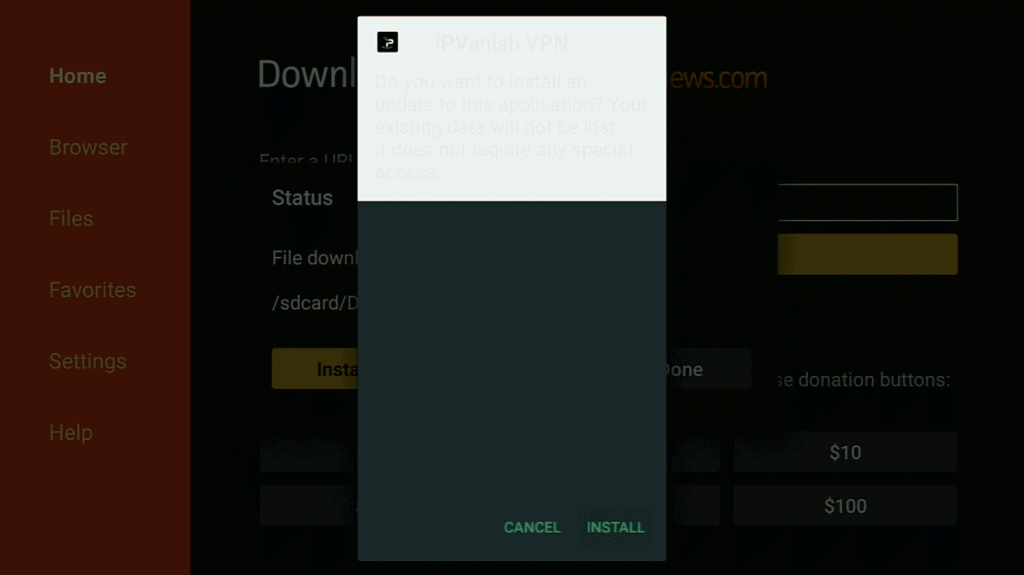
The application is installing on your Fire stick . Wait, till the installation is complete.
Select ‘Done‘ and go to the Home page. Once you press the back button, you’ll be asked whether you want to Delete or Keep the APK file on your Firestick storage. You can delete it to clear some space your device.
That’s it. You have DONE IT, now when you open the app it will ask you for login details.
For the login you can GET THAT HERE .
When I follow instructions and I put code it’s downloaded Lion OTT
yes that will work , if need a specific app you can ask our support for its link .